

Why Standard GPS Fails on Off-Road Campervan Navigation
Picture this. You have turned off the main road, the tarmac has ended, and your phone has lost signal somewhere between a pine forest and a gravel track that Google Maps swears does not exist. This is exactly where off-road campervan navigation breaks down for most travellers, because they rely on tools built for cities, not for forests in Bieszczady or mountain passes in the Carpathians.
Standard navigation apps like Google Maps and Apple Maps pull map tiles from the internet in real time. When you lose a mobile signal, they become nearly useless. They also lack data about track surface type, gradient steepness, bridge weight limits, or low-hanging branches. For a vehicle like a MAN TGE 3.140 campervan standing 2.9 metres tall and weighing over 3 500 kg loaded, that missing data is not just inconvenient. It can put you in a ditch.
The good news is that 2026 offers a genuinely solid set of tools for overlanders. You need a layered approach: an offline map app with terrain data, a dedicated GPS device as backup, and a clear pre-trip planning habit. Each layer covers the weaknesses of the others.
- Online apps fail without mobile signal
- Consumer GPS devices often lack off-road track data
- No single tool is enough on its own
- Vehicle dimensions must be factored into every route
Best Offline Navigation Apps for Overlanding in a Campervan
OsmAnd
OsmAnd is the most powerful free option for off-road campervan navigation. It runs entirely offline using OpenStreetMap data, which means forest tracks, fire roads, and unmapped gravel paths are often present here when they appear nowhere else. You can set custom vehicle profiles, including height, weight, and axle load restrictions, so the routing engine avoids roads physically unsuitable for your van.
The learning curve is steep. But invest two hours learning the route planning and contour overlay features, and you will have a tool that outperforms paid alternatives in remote terrain.
Maps.me and Organic Maps
Both apps use OpenStreetMap data in a much cleaner interface than OsmAnd. Organic Maps in particular is excellent for quick offline lookups, finding campsites, springs, or fuel stops in areas with no signal. Neither offers the deep vehicle profiling of OsmAnd, but they work beautifully as secondary reference tools.
Gaia GPS
Gaia GPS is the overlander's choice for topographic overlays. The subscription unlocks satellite imagery, topo maps from multiple countries, and the ability to import GPX tracks from communities like iOverlander. It is the app most experienced overlanders in Poland and Central Europe actually keep open on their second screen.
- OsmAnd — best for vehicle-specific routing offline
- Organic Maps — fast and clean for point-of-interest searches
- Gaia GPS — best topographic and satellite imagery overlays
- iOverlander — community-sourced camp spots and track reports
- Park4Night — campervan-specific overnight spots across Europe
Hardware and GPS Devices Worth Carrying
Apps are only as reliable as your phone battery and screen visibility. A dedicated hardware GPS device adds redundancy that can genuinely save a trip.
Garmin Overlander or Montana 700i
The Garmin Overlander is purpose-built for vehicle navigation on rough terrain. It ships with BirdsEye satellite imagery, topographic maps for Europe, and onX Offroad integration in supported regions. The screen is sunlight-readable, the unit mounts on a dash arm, and it works independently of your phone entirely. The Montana 700i adds two-way satellite messaging via Iridium, which matters when you are parked three kilometres from the nearest track in the Bieszczady highlands.
Tablet Mounted to the Dash
Many experienced vanlifers use a 10-inch Android tablet mounted in a RAM cradle on the dashboard, running OsmAnd with pre-downloaded regional maps. The larger screen is safer to glance at while driving a rough track. Pair it with a backup power bank rated 20 000 mAh or higher, and you have offline navigation for days.
Key information: Always carry at least two independent navigation sources. If your phone falls and cracks its screen on a forest track thirty kilometres from the nearest village, your backup is not a luxury. It is the only thing getting you out.
- Garmin Overlander or Montana 700i as primary hardware GPS
- Dedicated tablet with offline maps as secondary screen
- High-capacity power bank for device charging
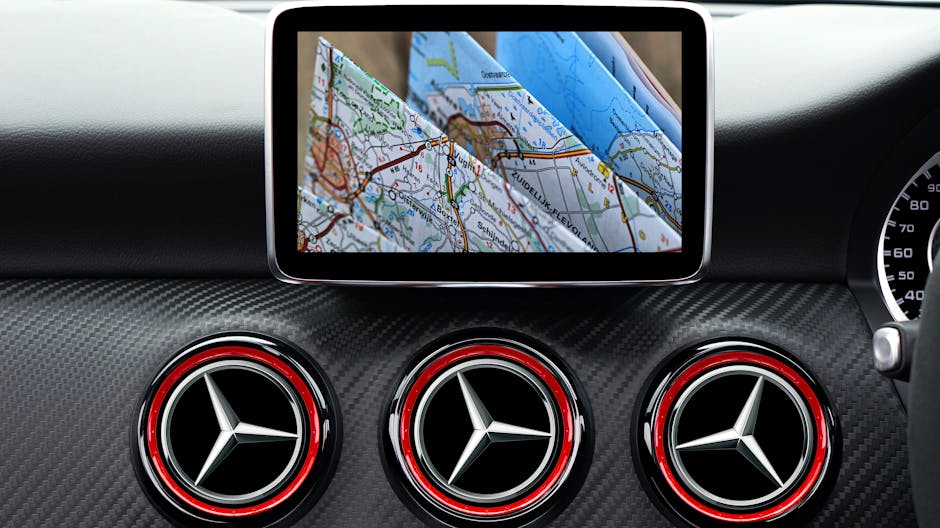
- Physical paper maps of the region as last resort
- Compass, even a basic button compass on your keychain
How to Plan an Off-Road Route Before You Leave
The single biggest mistake overlanders make is treating route planning as something you do on the road. Good off-road campervan navigation starts at home, two or three days before departure, with a screen larger than your phone.
Step-by-Step Route Planning Process
- Open Gaia GPS or CalTopo on a desktop browser and trace your intended route using satellite imagery, not road map view.
- Switch to topographic overlay and check gradient. Anything steeper than 20 percent on an unmaintained surface is risky in a loaded campervan.
- Cross-reference the track on OsmAnd to check OSM tags: surface type, maximum weight, track class, and width.
- Search iOverlander and Park4Night for recent community reports on that specific track or area. A report from three weeks ago is far more useful than any map.
- Export the route as a GPX file and load it into every navigation device you carry.
- Identify bailout points every fifteen to twenty kilometres. Know where you can turn around or reach a paved road if conditions change.
- Check weather forecasts for the entire route window, not just your destination. A forest track that is firm in dry conditions becomes impassable clay after two days of rain.
This process takes ninety minutes for a typical three-day route. That ninety minutes has saved many trips from turning into recovery operations.
Navigating Without Signal: Practical Techniques
Even with perfect preparation, you will face moments where you are uncertain. No app, no signal, and a fork in the track that was not on any map. Here is how experienced overlanders handle it.
First, stop before you commit to an unknown track. Walk the first hundred metres on foot. Check the surface, the width, and whether anything has passed through recently. Fresh tyre tracks in soft ground mean a vehicle made it through. No tracks at all mean you are the first this season.
Second, use the sun and landscape for orientation. In Central Europe, south-facing slopes dry faster and tend to have firmer surfaces. North-facing forest floors retain moisture longer. In the Carpathians and Bieszczady, ridgelines almost always run northeast to southwest, which gives you a rough compass reference even on overcast days.
Third, drop a manual waypoint in your GPS app every time you make a turn or pass a landmark. This creates a breadcrumb trail that works even when your track disappears. OsmAnd and Gaia GPS both support manual waypoints with custom icons and notes.
- Always walk unknown tracks before driving them
- Drop manual waypoints at every junction
- Use landscape features as orientation references
- Never commit to a track you cannot reverse out of
- ARB Tred Pro recovery boards cover you if you do get stuck
How Nomad Camper Handles Connectivity in the Wild
One of the most practical answers to the navigation problem in remote areas is reliable internet access, and this is where the Nomad Camper setup genuinely changes what is possible in the field.
The campervan carries a Starlink Mini antenna delivering 50 to 200 Mbps with a ping under 50 milliseconds. In practice, this means you can load real-time satellite imagery, download fresh map tiles, check iOverlander for track reports posted an hour ago, and update your weather forecast, all from a forest clearing far beyond any mobile tower. The Starlink cost is included in the rental price, so there are no additional subscriptions or SIM card logistics to worry about.
This does not replace offline navigation preparation. Starlink requires a clear sky view, and dense forest canopy or deep valleys can interrupt signal. But it closes the gap dramatically. A campervan with Starlink connectivity gives you access to information most overlanders only get at camp when they find a signal, but you get it on the road, in real time.
Combined with 405Ah LiFePO4 battery storage and 500W of solar panels, every device you carry for navigation stays charged for two to three days without any external power source. Your Garmin, your tablet, your phone, all running, all night, all weekend. That is the autonomy that makes extended off-road trips genuinely comfortable rather than anxious.
The MAN TGE 3.140 platform also adds physical safety margins. The ARB Tred Pro recovery boards mounted on the exterior have pulled the van out of soft ground on more than one occasion. The Intrak roof bars with Hella Luminato lighting mean navigating forest tracks after dark is not the gamble it would be with standard headlights alone.
If you want to see the full specification of what the campervan carries, including the electrical system, solar setup, and safety gear, check the full equipment list here.

Frequently Asked Questions
What is the best offline map app for off-road campervan navigation in Europe?
OsmAnd is the most capable offline navigation app for overlanding in Europe. It uses OpenStreetMap data, supports custom vehicle profiles with height and weight restrictions, and works entirely without an internet connection. For topographic overlays and satellite imagery, Gaia GPS is the strongest complement to OsmAnd.
Do I need a dedicated GPS device if I already have a smartphone?
Yes. Smartphones fail in cold weather, can overheat in summer sun, and crack on rough terrain. A dedicated GPS device like the Garmin Overlander adds genuine redundancy. It also mounts properly on a dash, with a screen readable in direct sunlight, which is a real safety improvement compared to a phone balanced on the dashboard.
Can I use Starlink for navigation in a campervan?
Starlink is not a navigation tool by itself, but it gives you live internet access in remote areas, which means you can load real-time satellite imagery, update offline map data, and check community track reports. The Nomad Camper rental includes Starlink Mini as standard, providing 50 to 200 Mbps in most outdoor locations across Poland and Europe.
How do I navigate forest tracks that are not on any map?
OpenStreetMap, which powers OsmAnd and Organic Maps, often includes forest and fire tracks that do not appear in commercial map products. For truly unmapped tracks, the iOverlander community database is the best source of recent, ground-level reports. Drop manual waypoints as you travel, and always pre-plan bailout routes so you have options if a track becomes impassable.
Your Next Off-Road Adventure Starts With the Right Setup
Good off-road campervan navigation is not about having the most expensive device. It is about layering reliable tools, preparing your routes before you leave, and having enough power and connectivity to stay informed when the terrain gets unpredictable. Use OsmAnd for offline routing, Gaia GPS for terrain reading, a Garmin as your hardware backup, and iOverlander for ground-truth track reports.
And if you want to explore the Bieszczady forest tracks, the Carpathian ridge roads, or the remote Baltic coastline without worrying about power, connectivity, or getting stuck, the Nomad Camper setup was built exactly for that. Starlink included. Recovery boards mounted. 405Ah of battery ready to keep every device charged through the night.
Reserve the Nomad Camper for your next off-road trip and navigate the backcountry with confidence.